Find out how much storage is available on your Mac
Choose Apple menu > About This Mac, then click Storage. Each segment of the bar is an estimate of the storage space used by a category of files. Move your pointer over each segment for more detail.
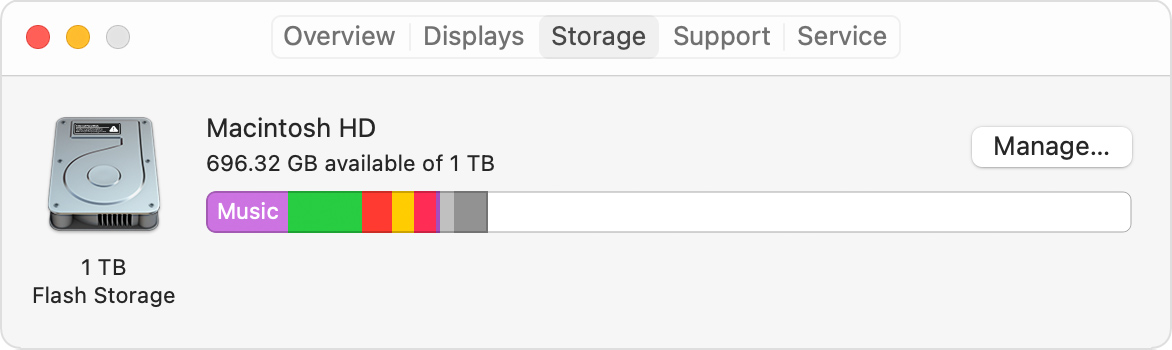
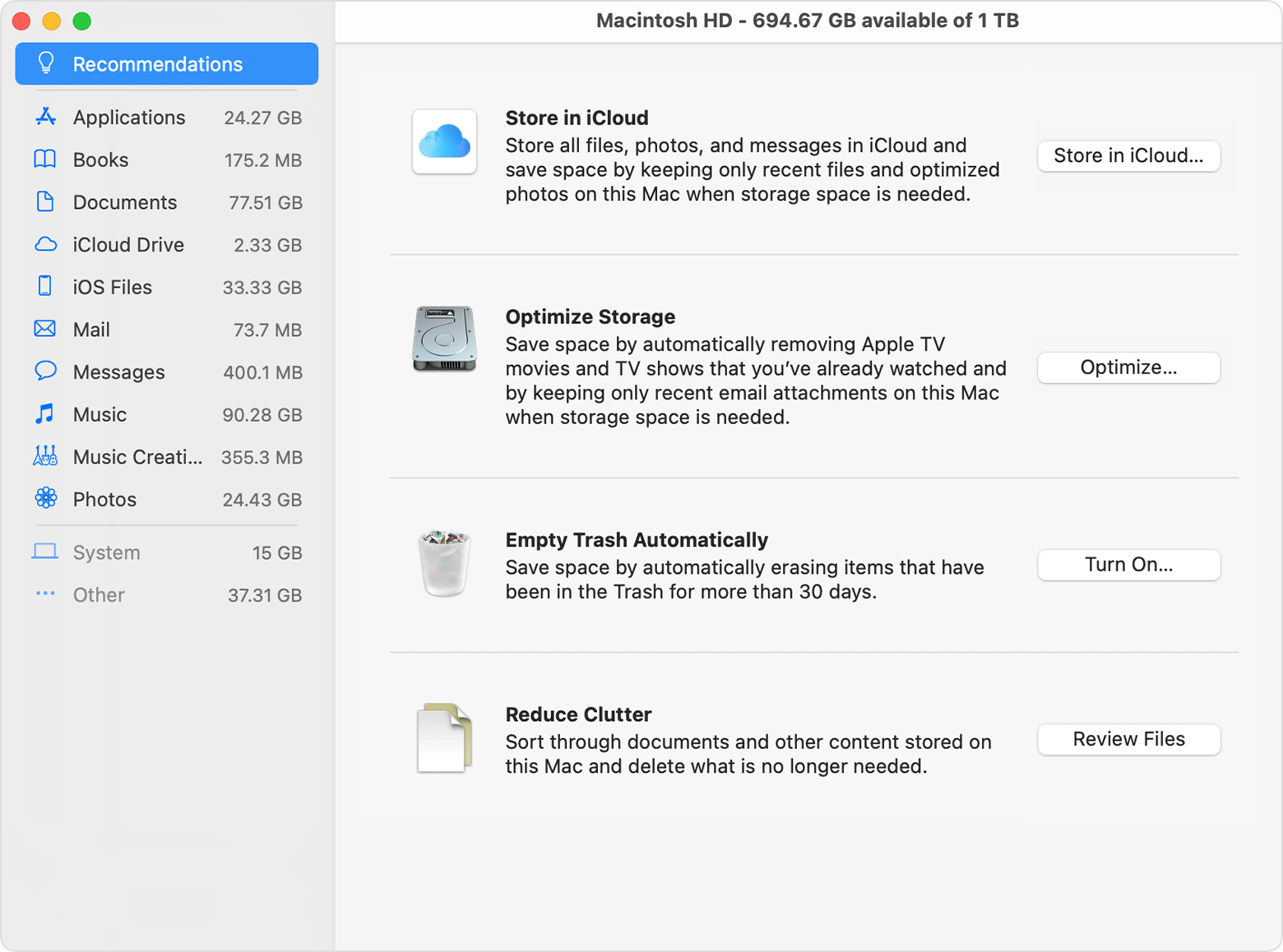
Click the Manage button to open the Storage Management window, pictured below.
Manage storage on your Mac
The Storage Management window offers recommendations for optimizing your storage. If some recommendations are already turned on, you will see fewer recommendations.
Related Articles
How to Update macOS (Especially If Space is Low)
Essential Steps: How to Update macOS (Especially If Space is Low) Keeping your macOS up to date is critical for security and performance. This guide will walk you through the standard update process and what to do if you encounter an error stating ...Identify your Mac power adapter
Apple published article: https://support.apple.com/en-us/HT201700 Learn which power adapter and cable comes with your Mac laptop and how to check the wattage of a connected power adapter or display. If your Mac uses USB-C to charge, you can charge ...Change the login password on Mac
It’s important to change your login password from time to time to protect your privacy. On your Mac, choose Apple menu > System Preferences, then click Users & Groups. Click Change Password. Enter your current password in the Old Password field. ...Update Microsoft Office for Mac
Microsoft AutoUpdate makes sure your copy of Office will always be up-to-date with the latest security fixes and improvements. If you are a Microsoft 365 subscriber, you'll also receive the newest features and tools. Check for updates and install ...Removing Configuration and Reboarding a Verifone Terminal
Introduction: This article will guide you through the process of removing the current merchant configuration from a Verifone terminal and reboarding it for your store. Follow these steps carefully to ensure a smooth transition. Steps: Access the ...