Contacting Hero Technical Support
Opening a ticket
- Submit a ticket via the Hero app's 'Get Support' function.
- All Hero technical support issues, must be submitted via the Hero App.
- Before sending the support request to Hero please do not forget to CC techitsupport@untuckit.com and k.gottlieb@untuckit.com - the goal in CC'ing TECHit Support and Kaitlin Gottlieb is to allow both parties to facilitate the swiftest and most effective support experience, toward resolution.
Opening a ticket Step by Step
See below steps to learn how to open a ticket with Hero Support, from within the Hero app.
STEP 1
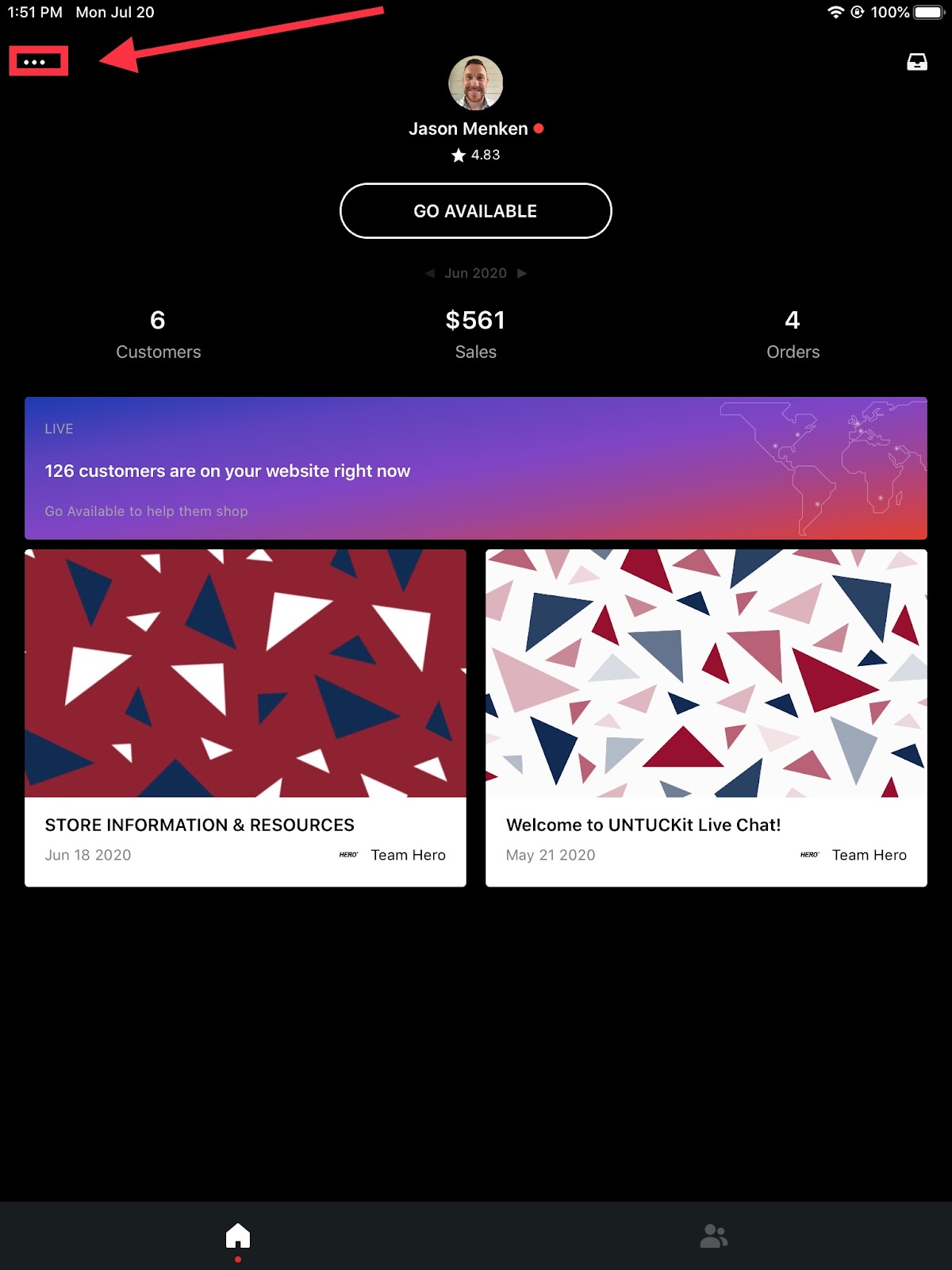
Open the Hero app and tap the ellipsis in the upper-left corner.
STEP 2
This will open a menu > tap “Get Support”.

STEP 3
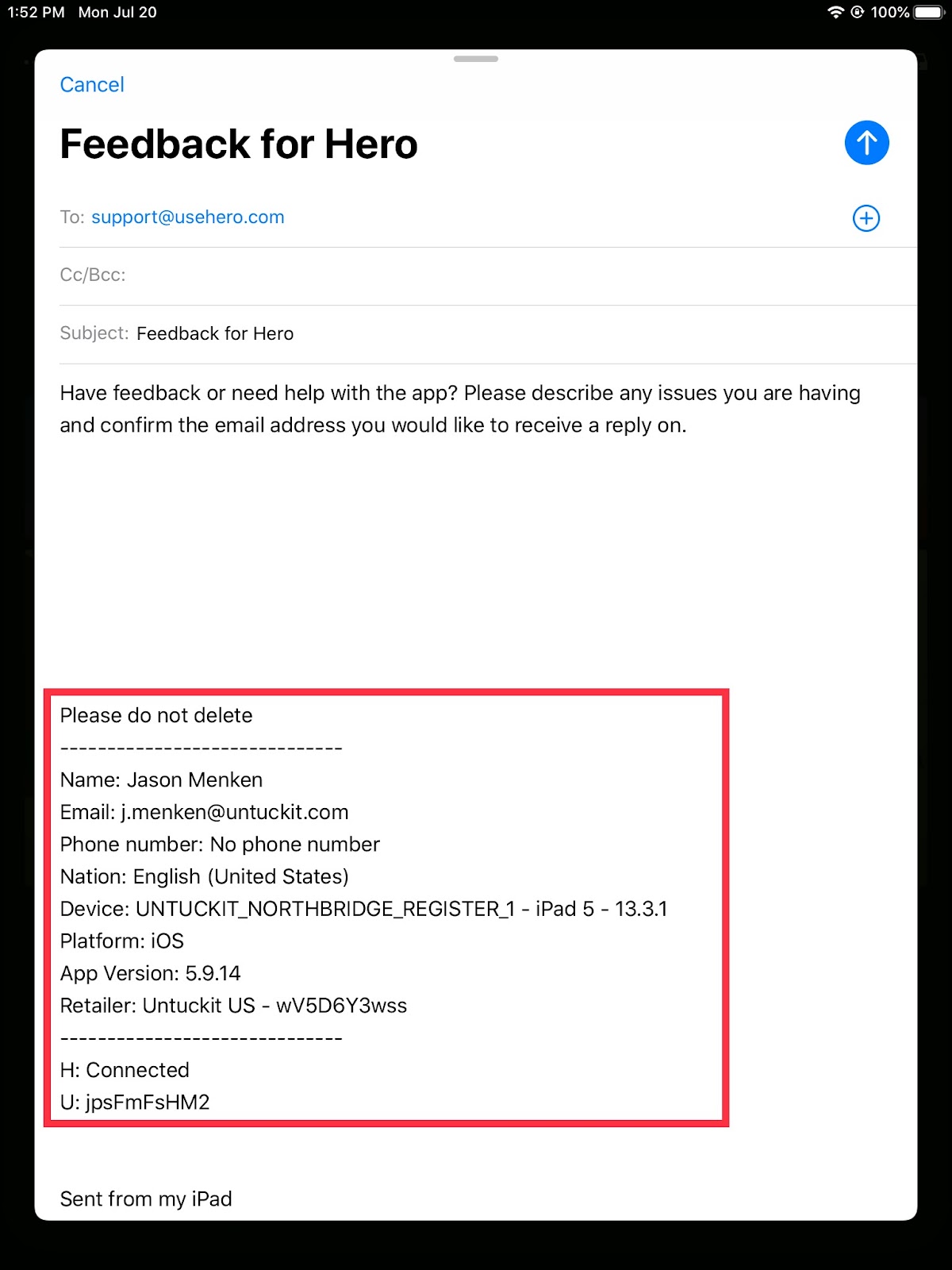
Tapping “Get Support” will open an email automatically, in the Mail app on the iPad or iPhone.
Do not delete any information that is auto-populated in the body or recipient field of the email.
Add as much detail as you know about the issue, including a screenshot or video if helpful to describe the issue.
Knowledge article: Writing A Good Technical Support Ticket.

Ticket Details
Also, please provide the following where applicable in order for Hero Support to investigate:
- Full name of user/s
- Phone number
- Hero app version (This can be found under the Hero logo in side menu of the app)
- Device type and model version (e.g. iPhone 11, iPad, Samsung a21 etc)
- Device software version and number - iOS / Android (e.g. IOS 13.07)
- The email address used to log into the Hero app
- Connection - WIFI or Mobile/Cellular Data
Related Articles
Contacting Deputy Technical Support
Stores with any questions regarding deputy can utilize the deputy help center; here there are videos showing how to do almost anything. Or if you have a question you can live chat. See the pictures below. Live chat feature can be found in the bottom ...UNTUCKit Retail Technical Support
UNTUCKit Corporate Business Hours Monday - Friday 9:00a - 6:00p Eastern Standard Time General Support Email: techitsupport@untuckit.com Store Outage Support Email: techoutage@untuckit.com Weekday Response Time 1st Response Time SLA: within 1 hour ...Writing A Good Technical Support Ticket
# Writing a Good Technical Support Ticket ## **Welcome to the TECHit Help Desk!** **We are dedicated to supporting you in your day-to-day work.** Whether you're experiencing issues with printing, log-in problems, or connectivity challenges, we're ...TECHit Help Center Portal Invitation
Invitation e-mail 1- Click on ACCEPT THE INVITATION to open the helpdesk on a browser Bookmark helpdesk portal On Chrome: 1. Click on Bookmarks > Bookmark this page 2. Name it 3. Click "Done" Register 1. Create your password 2. Click "Register" ...Troubleshooting Store Yealink Phone
If you are having issues with your store Yealink phone please follow the steps below: Locate the Yealink Phone Base Station. The phone base station usually lives in the store's back of house near the other network infrastructure appliances. See ...